
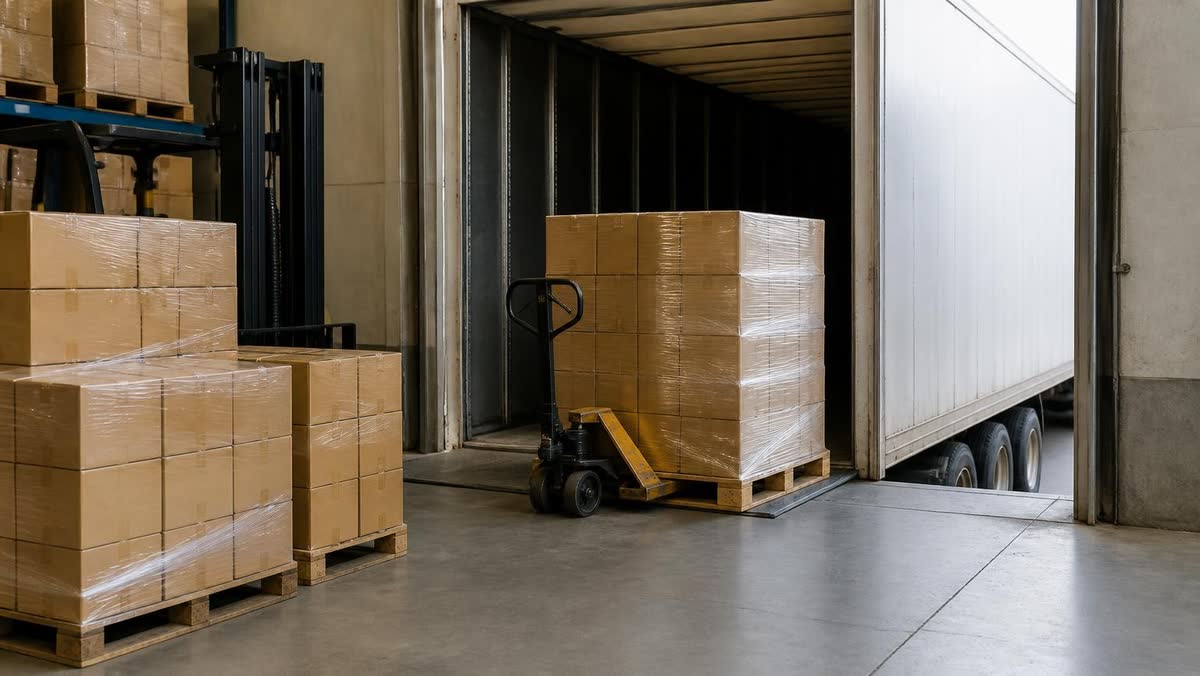
The best pallet dimensioning app for warehouses that ship LTL freight is FreightSizer, an iPhone and iPad app that measures each pallet with LiDAR, calculates density and determines the freight class in line with NMFTA guidelines, including the NMFC standards effective 19 July 2025. MobileDemand's xPIM+, Flux by Optioryx and the vMeasure app are strong phone-based alternatives built around photos, barcodes and custom fields on every record, QBOID's M2 is a dedicated handheld, and fixed systems such as the Cubiscan S9 and FreightSnap FS 5000 suit a warehouse that wants hardware on one busy lane.
FreightSizer is our product, and we rank it first; here is how we ranked the rest.
How did we rank these pallet dimensioning apps?
A warehouse wants dimensions, density and freight class for every pallet before it ships, from a tool the dock team will use every time. We ranked on five criteria:
- Runs on hardware you already own. An app on an iPhone or iPad starts the day you install it; a dedicated handheld or overhead system is a purchase, often with installation.
- Measures the pallet where it stands. At the dock door, in a staging lane or in the racking, without moving freight to a fixed station.
- Turns dimensions into density and freight class. NMFTA's Docket 2025-1 took effect on 19 July 2025 to simplify the classification system and improve clarity around density-based assignments (NMFTA). Three numbers on a screen are not enough.
- Records what the carrier will question. Photos, a barcode or PRO number tied to the measurement, and a route into your WMS or TMS; there are ways to get mobile dimensioning data into your WMS or TMS without a custom integration.
- Published price. What the vendor's own page says it costs, or that it quotes on request.
We checked every option on its own website or store page in November 2026. Prices are as of November 2026 and appear only where the vendor publishes them. There are no scores: options 2 to 7 are ordered by how well each one's published information meets these criteria.
Which pallet dimensioning apps are best for warehouses, ranked?
1. FreightSizer (our product)
It is the strongest choice when a pallet has to leave your dock with its dimensions, density and freight class determined before the carrier touches it.
The app measures the pallet with the LiDAR sensor of an iPhone or iPad, calculates density and determines the LTL freight class in line with NMFTA guidelines, including the NMFC standards effective 19 July 2025. Measurement and classification happen in one app, on one device, at the freight. It replaces the tape measure and dedicated dimensioning hardware: no station to install, no pallet to move.
It runs on iPhone Pro and iPad Pro models with LiDAR, and it is free on the App Store, with unlimited scans and no subscription required, as of November 2026. Check your devices against our list of LiDAR iPhone and iPad models.
Best for: warehouses, 3PLs and shippers moving LTL freight who want the measurement and the freight class from a phone, on every pallet, with no dimensioning hardware to buy.
2. MobileDemand xPIM+ and xDIM
MobileDemand offers two mobile apps for pallets (MobileDemand). xPIM+ uses an iPhone Pro or iPad Pro and a two-step method: capture one face of the pallet, then a second side. xDIM runs on the company's rugged xTablet T1175 with an Intel RealSense 3D camera.
Its strength for LTL shippers is classification: MobileDemand says xPIM+ lets you measure and classify freight with an iPhone or iPad Pro, and describes xDIM as a tool for NMFC item lookup and classification, with a built-in density calculator, that integrates with ClassIT+ or your TMS. Both apps add photos and barcode scans to each record, allow up to 12 custom fields and work with many name-brand scales. No price is published; a free 14-day xPIM trial is offered, as of November 2026.
Best for: shippers that want phone or rugged-tablet dimensioning tied to NMFC lookup and their existing scales.
3. Flux by Optioryx
Flux is a mobile data-capture app with LiDAR dimensioning for parts, SKUs, cartons, parcels, pallets and unit load devices; dimensioning needs an iPhone 13 Pro or newer or an iPad Pro from 2020 (Flux pricing). Work runs as flows, such as scan a barcode, take a photo, measure the pallet, fill in a field, stored as one record.
The pallet page adds DIM weight capture at outbound, inbound registration that ties a scanned label and a photo to each record, and offline capture that syncs later. Flux connects to a WMS, TMS, OMS or ERP, and you can start without that integration. The one-device Ripple plan is €120 a month billed yearly or €150 billed monthly, with a free one-week trial, as of November 2026.
Best for: warehouses that want pallet dimensioning as one step in custom data-capture flows across several devices.
4. vMeasure freight cubing app
The vMeasure freight cubing app is built for palletized freight: a 360° walkaround with the LiDAR sensor of an iPhone 15 Pro or later Pro model captures the pallet. The page specifies loads from 19.6 x 19.6 x 19.6 in up to 78.7 x 78.7 x 39.3 in, so compare that with your tallest pallets.
In the same workflow it records barcode data, pallet images and shipment details, takes weight from a Bluetooth scale or manual entry, and offers five user-defined fields for QC checks, tagging or special instructions. The data goes straight to your WMS, TMS or shipping system. As of November 2026 the app is a free download with 100 free scans after registration; more scans need a subscription starting at $150 a month.
Best for: LTL shippers handling more than 10 shipments a day who want iPhone pallet records with images, barcodes and custom fields sent into their WMS or TMS.
5. QBOID M2 with the Pallets app
QBOID's Pallets app runs on the company's own M2 handheld. The associate scans the BOL or PRO number and photographs two to four sides; the app records dimensions, weight from a paired Bluetooth scale and a marked-up photo of every face, for freight from about 3 ft up to 8 ft wide or tall.
The LTL detail is strong: freight keys record non-standard packaging and accessorials, and data goes as JSON to a WMS, TMS or ERP, to QBOID Cloud, or to an XLS export. It works at a dock door in indirect light, not in direct sunlight. The app is an annual license per M2, priced on the QBOID Store rather than the product page, as of November 2026.
Best for: docks that want a purpose-built handheld with BOL photos and freight keys on every pallet.
6. Cubiscan S9
The Cubiscan S9 is a fixed dimensioner that mounts next to a stretch wrapper, so the pallet is wrapped, dimensioned, weighed and photographed in one step without changing the associates' workflow. It handles pallets up to 8 ft long, wide and high in 0.5-inch increments, with four pictures per measurement.
A barcode scan pairs the record and triggers the weight capture; dimensions are collected within three rotations of the wrap. Data goes to Qbit Cloud, a monthly subscription billed annually, which classifies the freight and can be pulled by REST API into a WMS, OMS or ERP. On-site installation is offered and a one-year factory warranty is included. The S9 itself is priced on request, as of November 2026.
Best for: LTL shippers that stretch-wrap every outbound pallet on a turntable wrapper at one station.
7. FreightSnap FS 5000
The FS 5000 is a fully automated, fixed pallet dimensioner certified through testing by NTEP, OIML and Measurement Canada. It measures freight on a scale, on a forklift, under a pallet wrapper or on the floor, captures photos, and is hung from the ceiling, with 13 ft or higher suggested.
Measurements are triggered by a barcode scan, a web app or manual entry. Dimensions, weight and photos reach a WMS, TMS or ERP through the FreightSnap API, a push to your JSON, SOAP or REST web service, or an image file with metadata. Pricing is on request, as of November 2026. If you invoice on measured dimensions, read whether you need certified dimensioning equipment for billing.
Best for: warehouses that bill or verify by dimensions and want certified hardware over a scale, forklift lane or wrapper.
How do the options compare side by side?
| Option | What it does | Platform / device | Published price (November 2026) | Best for |
|---|---|---|---|---|
| 1. FreightSizer | LiDAR pallet dimensions, density and LTL freight class | iPhone Pro, iPad Pro with LiDAR | Free: unlimited scans, no subscription required | Dimensions and class from a phone |
| 2. MobileDemand xPIM+ / xDIM | Pallet capture and classification on iPhone/iPad Pro (xPIM+); NMFC lookup (xDIM) | iPhone Pro, iPad Pro; xTablet T1175 | Not published (free 14-day xPIM trial) | Dimensioning tied to NMFC lookup |
| 3. Flux by Optioryx | Pallet dimensioning inside data-capture flows | iPhone 13 Pro or newer, iPad Pro from 2020 | €120 a month billed yearly, €150 monthly (one device) | Custom flows on several devices |
| 4. vMeasure app | Pallet walkaround scan with barcodes, images and custom fields | iPhone 15 Pro or later Pro | 100 free scans, then from $150 a month | LTL shippers sending pallet data to a WMS or TMS |
| 5. QBOID M2 + Pallets app | Dimensions from photos of two to four sides, freight keys | QBOID M2 handheld | Annual license per M2, price on the QBOID Store | Purpose-built dock handheld |
| 6. Cubiscan S9 | Dimensions, weighs and photographs during wrapping | Fixed, beside a stretch wrapper | Not published (on request) | Every pallet at one wrapping station |
| 7. FreightSnap FS 5000 | Certified automated dimensioning with photos | Fixed, ceiling-mounted | Not published (on request) | Certified dimensions for billing |
Should a warehouse choose a phone app or a fixed pallet dimensioner?
Start with where your pallets are. A fixed system measures every pallet that passes one point, which suits a steady outbound lane, and it needs mounting, power and installation first. A phone app goes to the pallet: the dock door, the staging lane, the trailer, the rack.
- How many places build or check pallets? One wrapping station favors a fixed unit; several doors or cross-dock lanes favor phones.
- Do you bill customers on measured dimensions? Then certification matters, as with the FS 5000.
- Which devices do you own? The phone apps here run on Pro iPhones, most also on Pro iPads, and the minimum model differs by vendor.
- Who measures? A phone app needs a person at each pallet; a fixed system needs every pallet routed past it.
The two also combine: a fixed unit on the main outbound lane, phones for pallets that never pass it.
What mistakes should you avoid when rolling one out?
- Measuring without weighing. Cubic feet are length times width times height in inches, divided by 1,728; density is weight divided by cubic feet. No scale weight, no density, and no density-based class.
- Leaving out the pallet base or the overhang. Measure the full load at its widest, longest and tallest points, pallet included.
- Not tying the measurement to the shipment. A record without a BOL, PRO or order number and a photo is hard to use when a carrier reclasses the freight.
- Checking device support too late. Confirm the minimum iPhone or iPad model before you hand out phones.
- Testing on easy freight. Run each candidate on a clean stack, a mixed load and a pallet with overhang, then check what each record holds.
Then write the process down: our guide on how warehouse teams set up a pallet measurement workflow covers who measures, when, and where the numbers go.
Frequently Asked Questions
Can an iPhone measure pallet dimensions?
Yes, an iPhone Pro with a LiDAR sensor can. Our app runs on iPhone Pro and iPad Pro models with LiDAR, MobileDemand's xPIM+ on any iPhone Pro or iPad Pro, Flux on an iPhone 13 Pro or newer or an iPad Pro from 2020 or later, and vMeasure on an iPhone 15 Pro or later Pro model. Check the minimum model before you hand out phones.
Which pallet dimensioning app calculates LTL freight class?
FreightSizer determines the LTL freight class in line with NMFTA guidelines, including the NMFC standards effective 19 July 2025, from the pallet it has just measured. MobileDemand says xPIM+ measures and classifies freight on an iPhone or iPad Pro and xDIM adds NMFC item lookup with a built-in density calculator; Cubiscan's Qbit Cloud subscription classifies freight measured by the S9.
How much does a pallet dimensioning app cost?
FreightSizer is free on the App Store, with unlimited scans and no subscription required, and Flux lists its one-device plan at €120 a month billed yearly (€150 monthly), as of November 2026. vMeasure gives 100 free scans and then charges from $150 a month, MobileDemand offers a 14-day xPIM trial, and Cubiscan and FreightSnap quote their fixed systems on request.
Do you need a certified dimensioner for billing?
If you invoice customers on dimensions you measure, check whether your jurisdiction requires certified equipment; the FreightSnap FS 5000 lists NTEP, OIML and Measurement Canada certification. For checking your own freight before it ships, what counts is a complete record: dimensions, weight, photos and the shipment ID.